Введение

Upgrade or replace RAM.

  1. AVmDXv5XqanQwUXu
    AVmDXv5XqanQwUXu
    NwTvQXwcjbTFQGxl
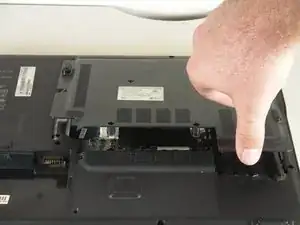
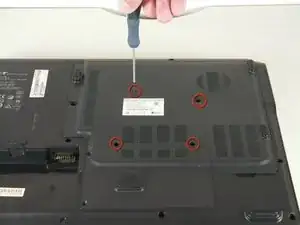
    • Remove the screws on the large panel.

    • Lift up the panel.

  2. mcCyrLGAKYdKv44M
    mcCyrLGAKYdKv44M
    WrsvWe3WOYBQw1sx
    53ws1BJrZsTH6pLs
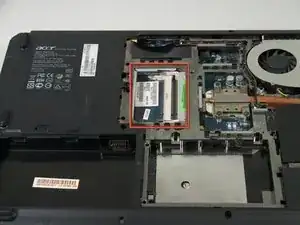
    • The RAM slots are located in the corner opposite to the cooling fan.

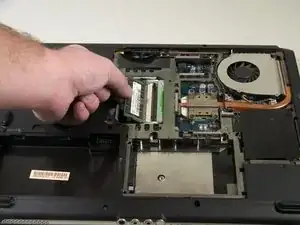
    • To remove existing RAM cards: there are clips holding the sides of each card. Simultaneously spread both right and left clip and the card will pop upward. Then it can easily be pulled out.

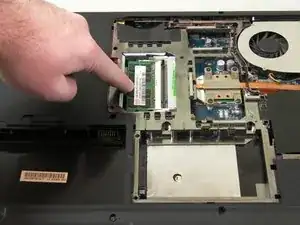
    • Slide in the RAM at a 45 degree angle.

    • Press down on the RAM until it snaps into place.

    • A good amount of pressure is needed to snap it in place.

    • Install the RAM in the left (lower) slot before installing RAM in the right (upper) slot

Заключение

To reassemble your device, follow these instructions in reverse order.

Brad Rollinson

Участник c: 29/09/10

1113 Репутация

Один комментарий

being a novice ram replacement i found this to be exactly what i needed to know thankyou very much.

bruce johnson -