Введение

If you have distorted, or no audio coming from the speakers in your Acer Chromebook 14 CB3-431-C3WS, you may need to replace the speakers in your laptop.

Consider looking at the troubleshooting page to see if there may be a simpler solution.

  1. QtKKcaM15bkHPGwA
    QtKKcaM15bkHPGwA
    6hV3liiyQUZs1Wqb
    r61RsoQ63apMAmnD
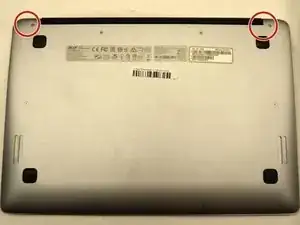
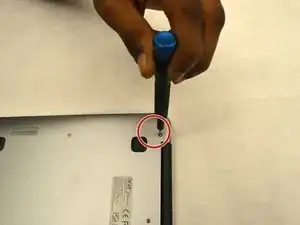
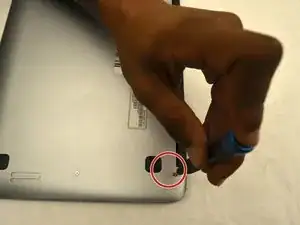
    • Remove the two 6mm JIS #0 screws from either side of the hinges.

  2. pOEsrZdfoELAev6x
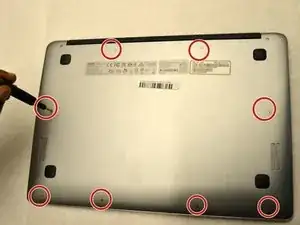
    • Remove the eight 4mm JIS #0 screws from the back cover.

  3. SbnaKlWQBTKZrRVQ
    SbnaKlWQBTKZrRVQ
    32FrBYfLkZGPHfjT
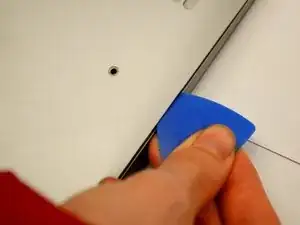
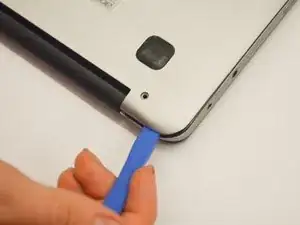
    • Insert an opening pick between the back panel and the sides of the computer to begin lifting the back off.

    • There are several clips holding the cover in place.

    • After the sides have been lifted, use the opening tool to finish opening the back cover.

  4. d3pBEGAhswb5DDx6
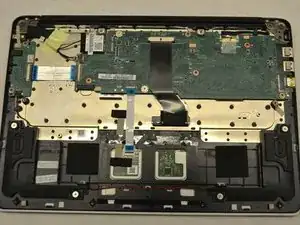
    • Lift off the back cover.

  5. JpWYGLv3cS13gJWm
    JpWYGLv3cS13gJWm
    dKBimMslEMO1tdMo
    xjFsCESWNTWXg2GT
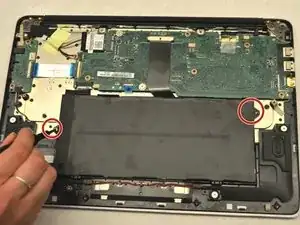
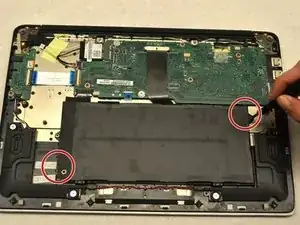
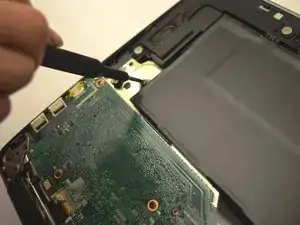
    • Remove the two JIS #0 screws that connect the battery to the rest of the laptop.

  6. uDcb2v6FtNfTMEtd
    uDcb2v6FtNfTMEtd
    lI1xAYMotaGqMoYA
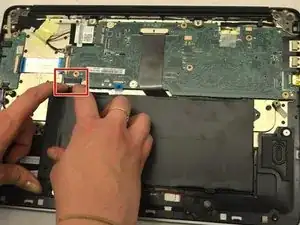
    • Pull the white tab connected to the battery out of the black tab that connects to the motherboard.

    • It is extremely important that this is done carefully and slowly to avoid causing damage to the motherboard.

    Does anyone know the part number for a battery?

    David York -

  7. iQ6VajkPWPtgEwYS
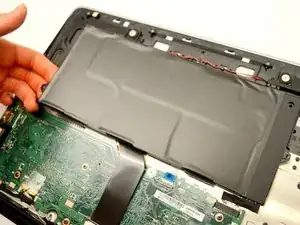
    • Lift the battery out gently.

  8. k2dmuNLwOWrtoOw6
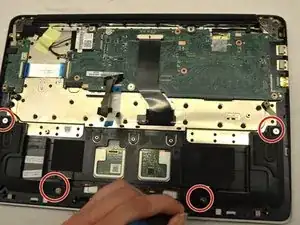
    • Remove the four 4mm JIS #0 screws that hold the speakers in place.

  9. qLiExZYNdW3mRXNg
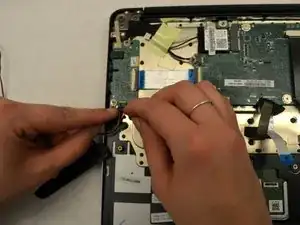
    • Disconnect the clip that connects the speaker wires to the daughterboard.

  10. vQTUlYSlwjZPox6T
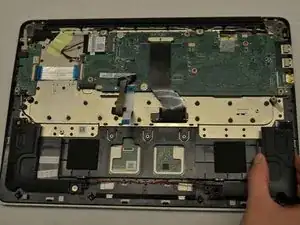
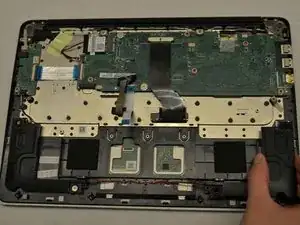
    • Lift the speakers from the frame, making sure to carefully unwind the wires connecting the speakers.

Заключение

To reassemble your device, follow these instructions in reverse order.

Samantha Postma

Участник c: 15/10/19

1238 Репутация

0 комментариев