Введение

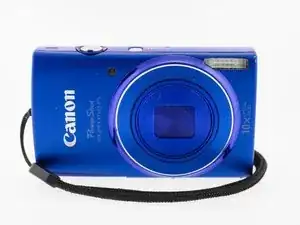
This guide will teach you how to replace the battery for your camera.

  1. JqKplgieJKw6JZDv
    JqKplgieJKw6JZDv
    UTTYXuKkLKmZg1OG
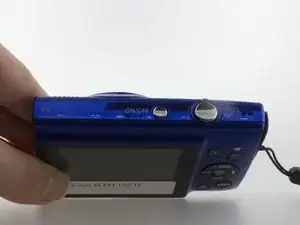
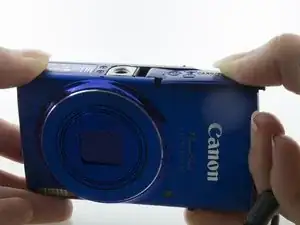
    • Safety First: Power off your device. Locate the On/Off button.

  2. 53tERxlXHRfyCxEP
    • Hold button down firmly until the screen goes dark and the camera is powered off.

  3. GWXFAKcjq4LocQHW
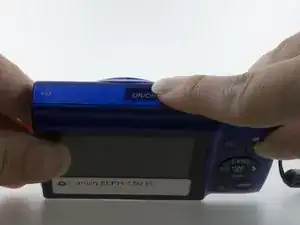
    • Locate the Battery door which is marked, "CARD/BATT OPEN"

  4. OHDQVTEFHgtdDmub
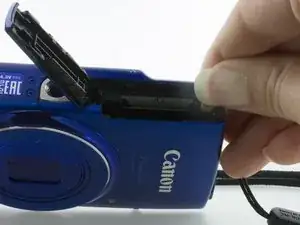
    • Press the door down with your thumb and slide to the right until you hear a click. This means the door has unlocked and will open.

  5. OFHYbMJWNbW6YNVt
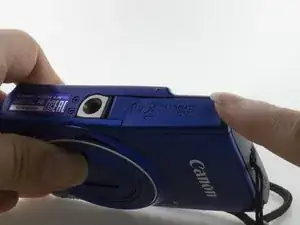
    • With the door open, locate the orange clip near the edge of the camera. This clip is holding the battery in place.

  6. Gy32JQn5TUvspEsN
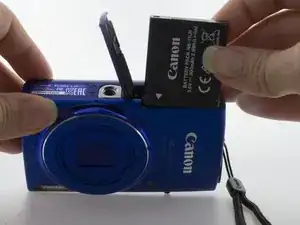
    • Press the orange clip back towards the back plate to release the battery.

  7. 1qIvYVZ3ok1qqK5v
    • The battery should pop out easily and you can simply remove the battery from its housing.

Заключение

To reassemble your device, follow these instructions in reverse order.

Morgan Forester

Участник c: 22/03/17

284 Репутация

0 комментариев