Введение

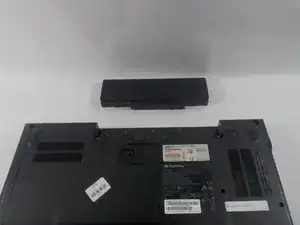
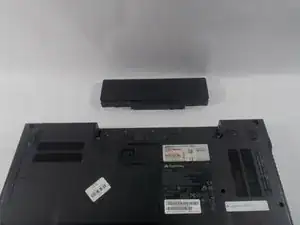
The battery is a component that will power your device. This guide will go over how to remove and replace the battery for the P-6831FX.
  1. itZOF23bSB4wXxtX
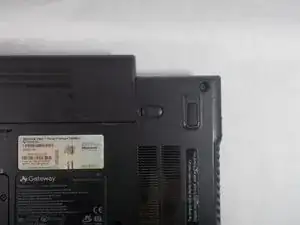
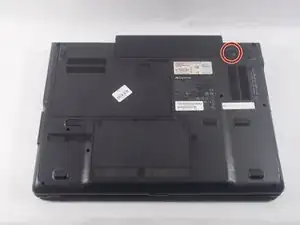
    • Turn your laptop upside down and locate the 1st unlocking switch.

    • Make sure to unplug your laptop charger, as removing the battery while the device is charging may damage the battery and or the charger.

  2. NfNsncrowGIP2n15
    NfNsncrowGIP2n15
    OxfZZrH6mNvifyBm
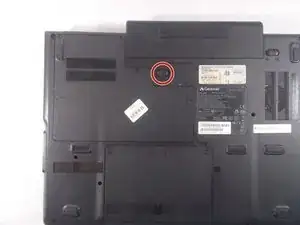
    • Put the switch from the locked position to the unlocked position.

  3. bcNQ6NPVtlTBREmD
    bcNQ6NPVtlTBREmD
    jZEtOh2WJBKskwBK
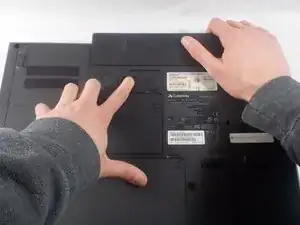
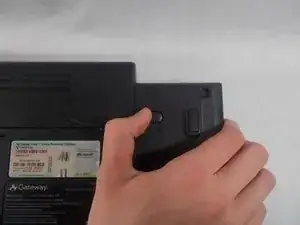
    • Slide the lock to the right to unlock the battery from the device.

  4. 4s4U25fUjAhqBv2J
    4s4U25fUjAhqBv2J
    qyKnbYqKdmhAHcKg
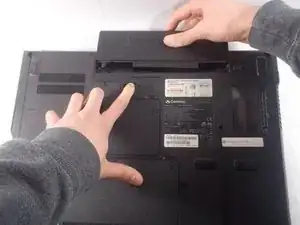
    • While holding the 2nd lock in the unlocked position, pull the battery away from the laptop.

Заключение

To reassemble your device, follow these instructions in reverse order.

Justin Freitas

Участник c: 19/03/18

294 Репутация

0 комментариев