Введение

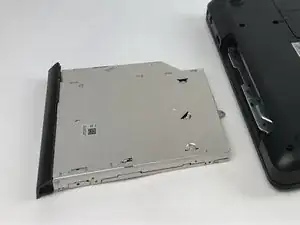
This guide will detail the steps of replacing a faulty CD Drive.

  1. iYnS2UtJsPbxLyNa
    iYnS2UtJsPbxLyNa
    KgKKTXa3QraHa6dj
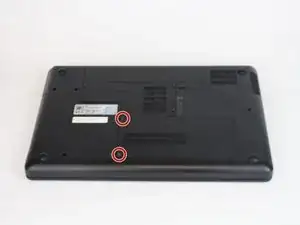
    • Loosen the two indicated screws on the panel using a Phillips screwdriver with a PH1 head size.

    • The screws do not come free from the panel. They only need to be loosened enough so that the panel can be lifted/pried using a plastic opening tool.

  2. EylAUSUAxkDjG4Or
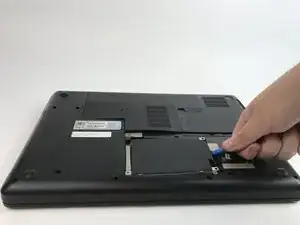
    • Use the screwdriver to unscrew the four 5mm screws holding down the hard drive.

  3. KPWBTwgRftrATpZD
    KPWBTwgRftrATpZD
    gZpvWLDDQGJlPbtP
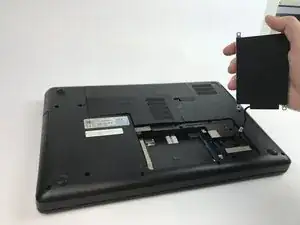
    • Use plastic opening tools to lift up the hard drive. Set aside the hard drive without disconnecting the wire.

  4. ufQXmTo2xhJgCRLN
    • Use a Phillips screwdriver with a PH0 head type to unscrew the indicated 5.5mm screw.

  5. bSh4WIcHpyDsb3aW
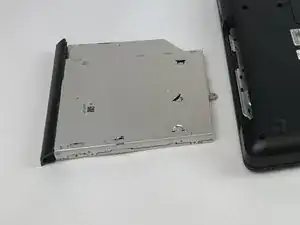
    • Use plastic opening tools to pry open the CD Drive.

  6. UOCSF3FhNvQIWDPZ
    • Use your hands to pull the CD drive out and remove it from the laptop.

Заключение

To reassemble your device, follow these instructions in reverse order.

Iyonna L. Tynes

Участник c: 15/02/17

446 Репутация

0 комментариев