Введение
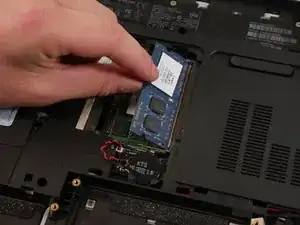
This is a step-by-step guide for replacing the Random Access Memory (RAM) in an HP pavilion dv7-6178us laptop. The guide will show you where to look for the RAM and how to pull the RAM out. RAM replacement is a good idea because it speeds up the overall laptop performance. If you noticed your laptop performance is slowing down or your computer is freezing, then it is a sign that your laptop may need a RAM replacement or upgrade. As you install more programs, the laptop performance deteriorates. If you plan to do any video editing or play video games on it, then a RAM upgrade could enhance the performance of your computer for processing intensive applications.
-
-
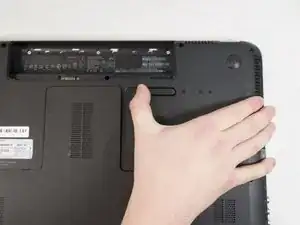
Flip over the laptop and push the sliding lock to the right (or whichever side indicates it with a symbol.)
-
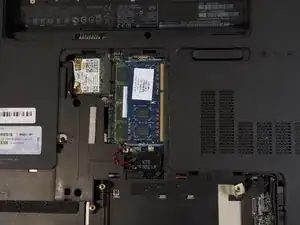
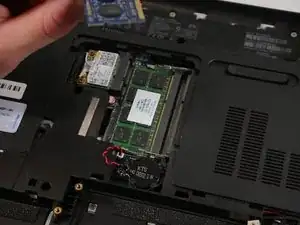
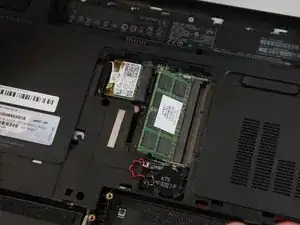
After that is done, carefully pull off the back piece. It should look similar to the second photo.
-
-
-
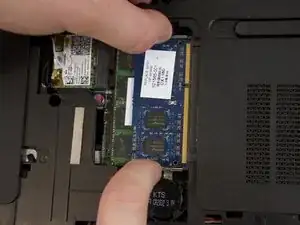
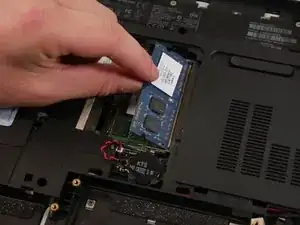
Once the tabs on the sides are released the RAM card will pop out by itself to this angle, as shown in the picture.
-
-
-
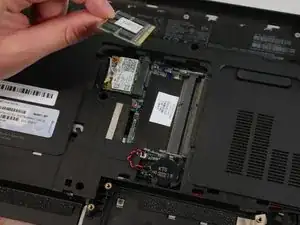
Steps 2 through 4 can also be done on the second RAM card, located directly below the initial RAM card.
-
To reassemble your device, follow these instructions in reverse order.
