Введение

Use this guide to remove the back cover of your Samsung Galaxy Watch5.

  1. HhqpdWtC22cGfXNQ
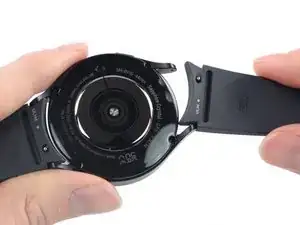
    • Take your watch off the charger and power it down.

    • Remove the watch band.

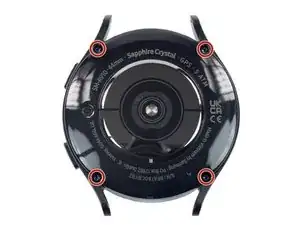
  2. aBVqG1GMCDhFNfnU
    • Use a Tri-point Y00 screwdriver to remove the four 4.1 mm-long screws securing the back cover.

    I think the tri-point #000 driver is likely a bit on the small side. I used a #00 tri-tip driver I had on hand and it fit the screws well with no ratcheting. Another person in a later comment mentioned the #000 driver is too small.

    Philip Reich -

  3. aYikQSoPEP5en5D4
    aYikQSoPEP5en5D4
    COyTAwOEoosAs32x
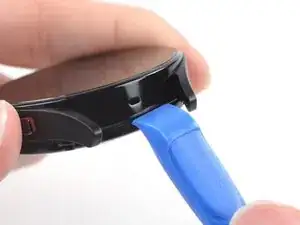
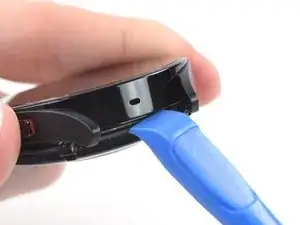
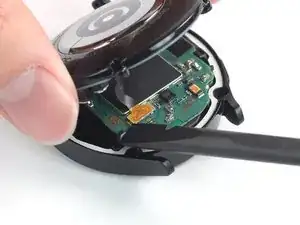
    • Insert an opening tool into the seam between the back cover and the metal housing.

    • Twist the opening tool to loosen the gasket and create a gap.

    • Don't try to remove the back cover all the way yet. The sensor flex cable is still connected to the motherboard.

  4. T52kI3KJQRATuLgm
    T52kI3KJQRATuLgm
    4OFPrlEBJED3UO6s
    • Lay the watch screen-side down.

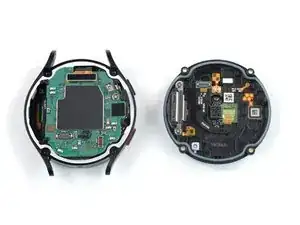
    • Carefully swing open the back cover at the gap you just created.

    • Use a spudger to disconnect the sensor flex cable from the motherboard by prying the press connector straight up from its socket.

    • During reassembly, this is a good point to turn on your device and test your repair before resealing it.

  5. WYIWaRTLQm1knwkg
    WYIWaRTLQm1knwkg
    MPmLsw1Y3t1xlWvf
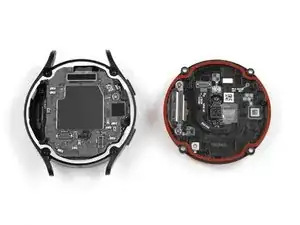
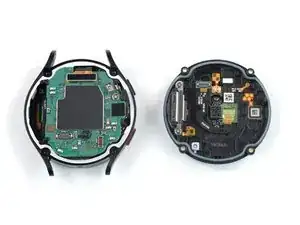
    • Remove the back cover.

    • During reassembly:

    • Make sure the rubber gasket (marked in red) is undamaged. If damaged, replace it with a new one to maintain water resistance.

    I could not open my watch with Y000 screwdriver. Instead I used Y1.5 (Y00).

    Mechanicfruit -

Заключение

To reassemble your device, follow these instructions in reverse order.

Repair didn’t go as planned? Try some basic troubleshooting, or ask our Answers community for help.

Manuel Haeussermann

Участник c: 13/07/22

20229 Репутация

0 комментариев