Введение
This guide will explain how to replace the selection buttons on the camera. There are no hazards associated with this replacement. Let's get started!
Инструменты

-
-
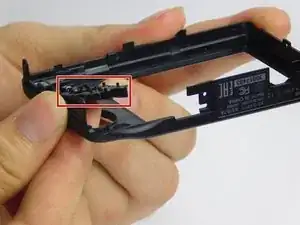
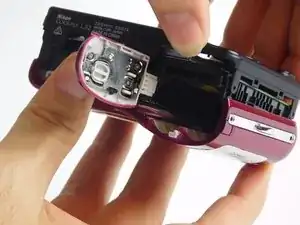
Secure the black back case in hand and remove selection buttons from the case by pushing them upward and replace them with a new set of buttons.
-
Заключение
To reassemble your device, follow these instructions in reverse order.
