Введение

Follow the procedure outlined in this guide to remove and install a broken iPhone/iPod connector.

  1. OJE6iwTF1MfAQKG6
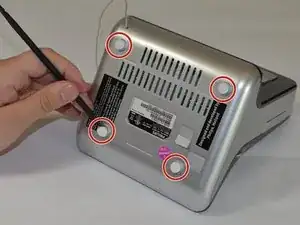
    • Pry off the four white feet with the pointed end of the spudger

  2. V21CawLi2fTRLHrQ
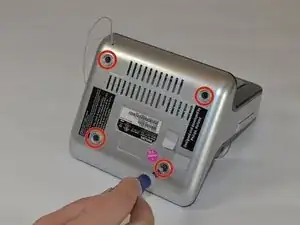
    • Gently unscrew the four 15.5 mm Phillips #2 screws that hold the bottom panel to the dock.

  3. EVAJNaADthnDRWtk
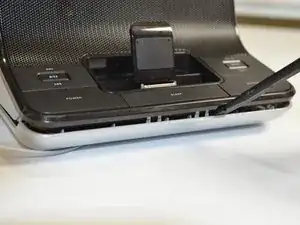
    • Use the flat end of the spudger to pry the lid off from the two connectors holding it to the body of the dock.

    • The connectors on the panel are fragile and may break.

  4. AC4yGkktpFkIrau5
    AC4yGkktpFkIrau5
    4OAFMGFY6edvpdQ6
    CTAQrEGNPjMJkIUY
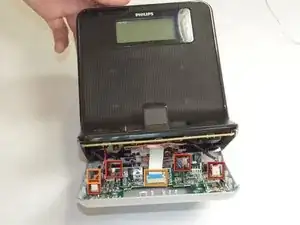
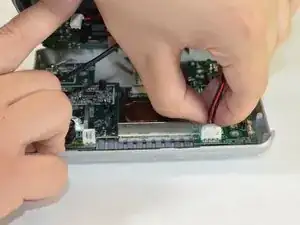
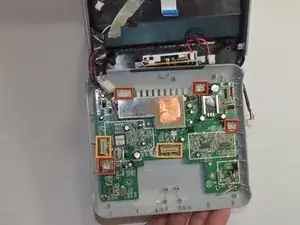
    • Carefully pull up and out the four electrical connectors and two ribbon connectors that connect the bottom panel to the dock.

    • Electrical Connectors

    • Ribbon Connectors

    • The cables do not have a lot of slack in them. Be careful not to break the connectors.

    • One wire is soldered onto the bottom panel. Be careful not to break this bond.

  5. nYGKkjjkbUxnVtrY
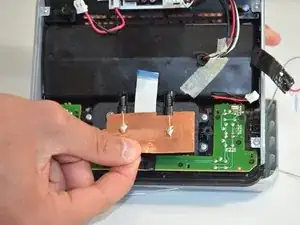
    • Pull the copper plate out of the way of the two Phillips #00 screws in the middle of the connector.

  6. mlxMwEDD3X4TQpLJ
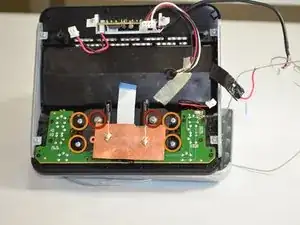
    • Unscrew the two 7 mm Phillips #00 screws holding the connector together.

    • Unscrew the four 5 mm Phillips #00 screws holding the connector to the dock

  7. 22GPO2bhDyTc5Kq5
    22GPO2bhDyTc5Kq5
    ajLE3wrm3ECfWvrC
    htYY2y3wZGoeIyXk
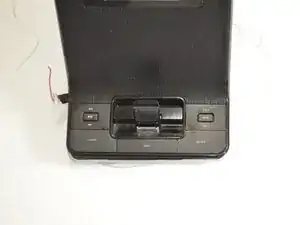
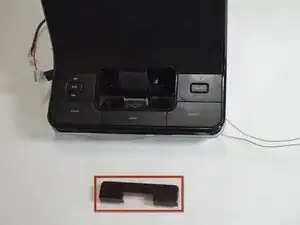
    • Turn the dock so that you are looking at the front of the dock.

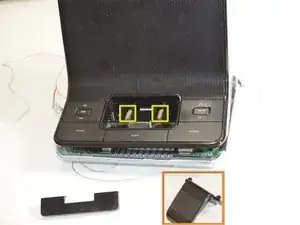
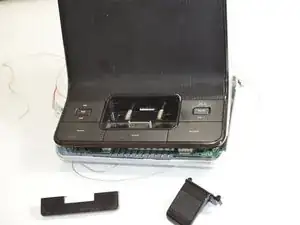
    • Pull out the black U-shaped piece.

    • Pull out the iPhone/iPod support cradle.

    • Pull out the two springs.

  8. ewwcLp21KB54MYnu
    • Turn the dock so that you are looking at the bottom of the dock.

    • Pop out the black connector frame and attached circuit board from the body of the dock.

Заключение

To reassemble your device, follow these instructions in reverse order.

Greg Lane

Участник c: 16/04/13

39 Репутация

0 комментариев