Введение
This guide will allow the user to remove the front cover of the camera, necessary for most other steps.
Инструменты

-
-
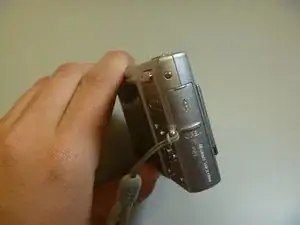
The battery cover is located on the right side of the camera.
-
Slide the cover to expose the battery.
-
-
-
Ensure that the battery lines up properly with the slot in the camera.
-
Slide battery in.
-
Slide cover closed.
-
-
-
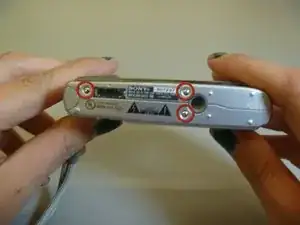
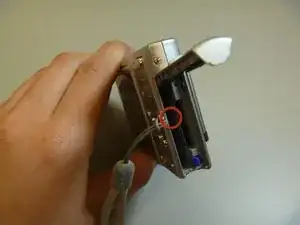
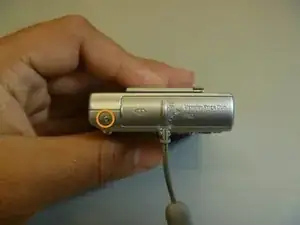
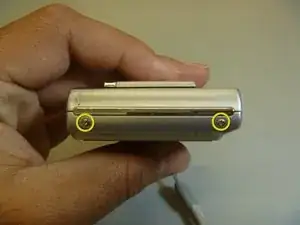
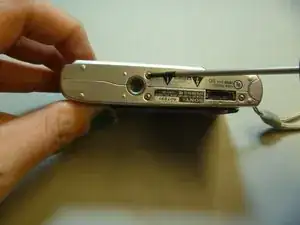
Remove screws from outside of camera. There are 6 screws total.
-
3 screws on underside.
-
1 screw on right side, near battery cover.
-
2 screws on left side.
-
-
-
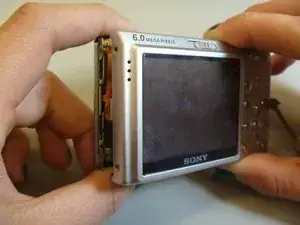
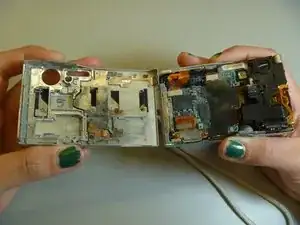
Gently pull the front cover off of the main camera.
-
All of the inner parts of the camera are attached to the back screen.
-
Заключение
To reassemble your device, follow these instructions in reverse order.
