Введение

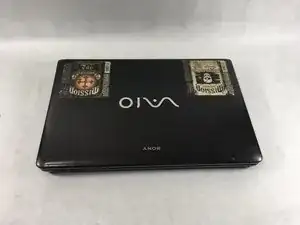
This guide shows how to remove/replace the RAM on the Sony VAIO VPCEE26FX laptop computer.

Инструменты

  1. TSEHqC46BPmC6GGC
    TSEHqC46BPmC6GGC
    ArWbQXBQCFWRGq4M
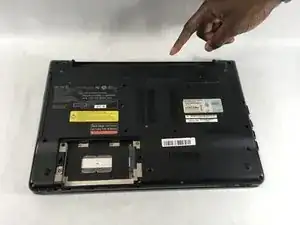
    • Ensure that the laptop is powered off before disconnecting the battery.

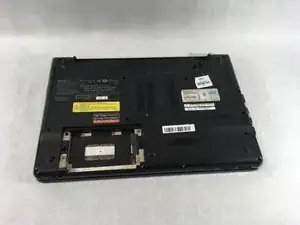
    • Flip the laptop over so the underside of the laptop is facing up.

  2. HKesqTQTb5exyA2b
    HKesqTQTb5exyA2b
    sfPsLYO5HGUXOZYu
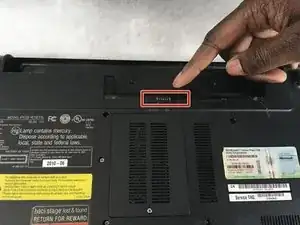
    • Slide the two tabs towards each other until the battery disconnects slightly from its position.

    • Carefully lift the battery out of its position away from the laptop.

    • The battery is not pictured here, since it is missing from this particular device.

  3. DrBSfj1KyX3Yl52h
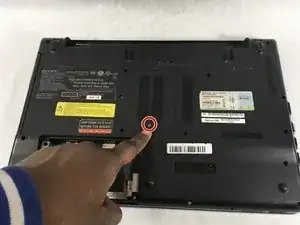
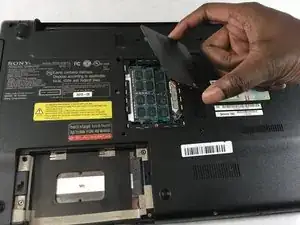
    • Using a JIS #0 screwdriver, loosen the captive screw attached to the RAM cover.

    • This screw will not come out all the way, but will remain attached to the cover instead.

  4. b15vXRf1VQabCpQP
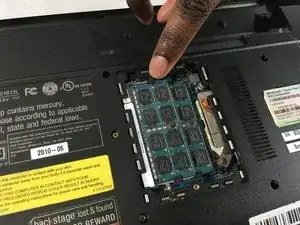
    • Remove the cover which will reveal the two RAM sticks.

  5. vXZmUTp2N65qCCYa
    vXZmUTp2N65qCCYa
    24R32KFncRW2JiIF
    E5133lMfYT5OfHcq
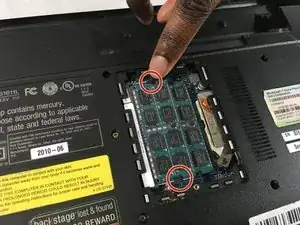
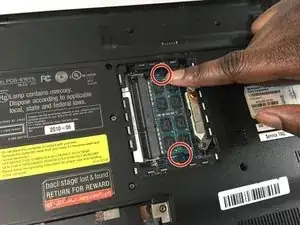
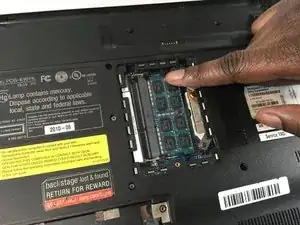
    • Push the two tabs holding the RAM sticks in place, away from each other.

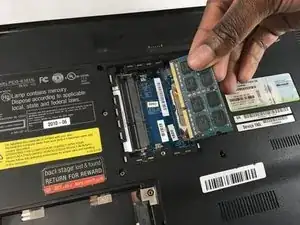
    • The first RAM stick will pop up out of place. Remove it away from its position.

  6. 26kJJIcxLBGSnIx4
    26kJJIcxLBGSnIx4
    lGerCeTfiWYlVYBd
    UUGoeWfFHEbO6IjZ
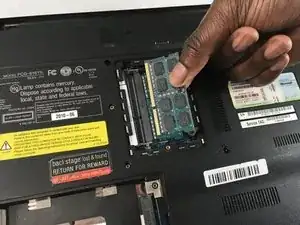
    • Push the two tabs holding the second RAM stick in, away from each other.

    • The second RAM stick will pop up out of place. Remove it away from its position.

Заключение

To reassemble your device, follow these instructions in reverse order.

Christopher Hover

Участник c: 21/03/19

679 Репутация

0 комментариев