Введение
Use this guide to eject the SIM card tray in your Xiaomi Redmi Note 10 Pro.
Инструменты

-
-
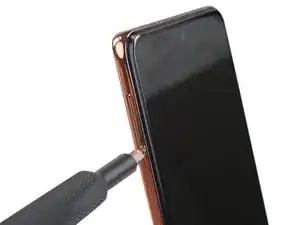
Insert a SIM card eject tool, a SIM eject bit, or a straightened paper clip into the hole on the SIM tray located at the left edge of the phone.
-
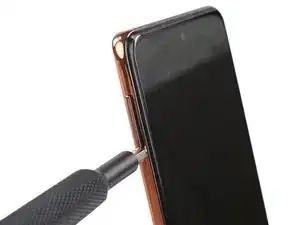
Press directly into the hole to eject the SIM card tray.
-
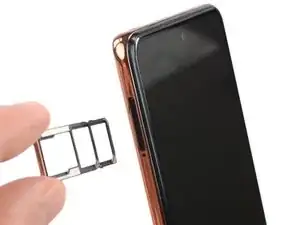
Remove the SIM card tray.
-
Заключение
To reassemble your device, follow these instructions in reverse order.